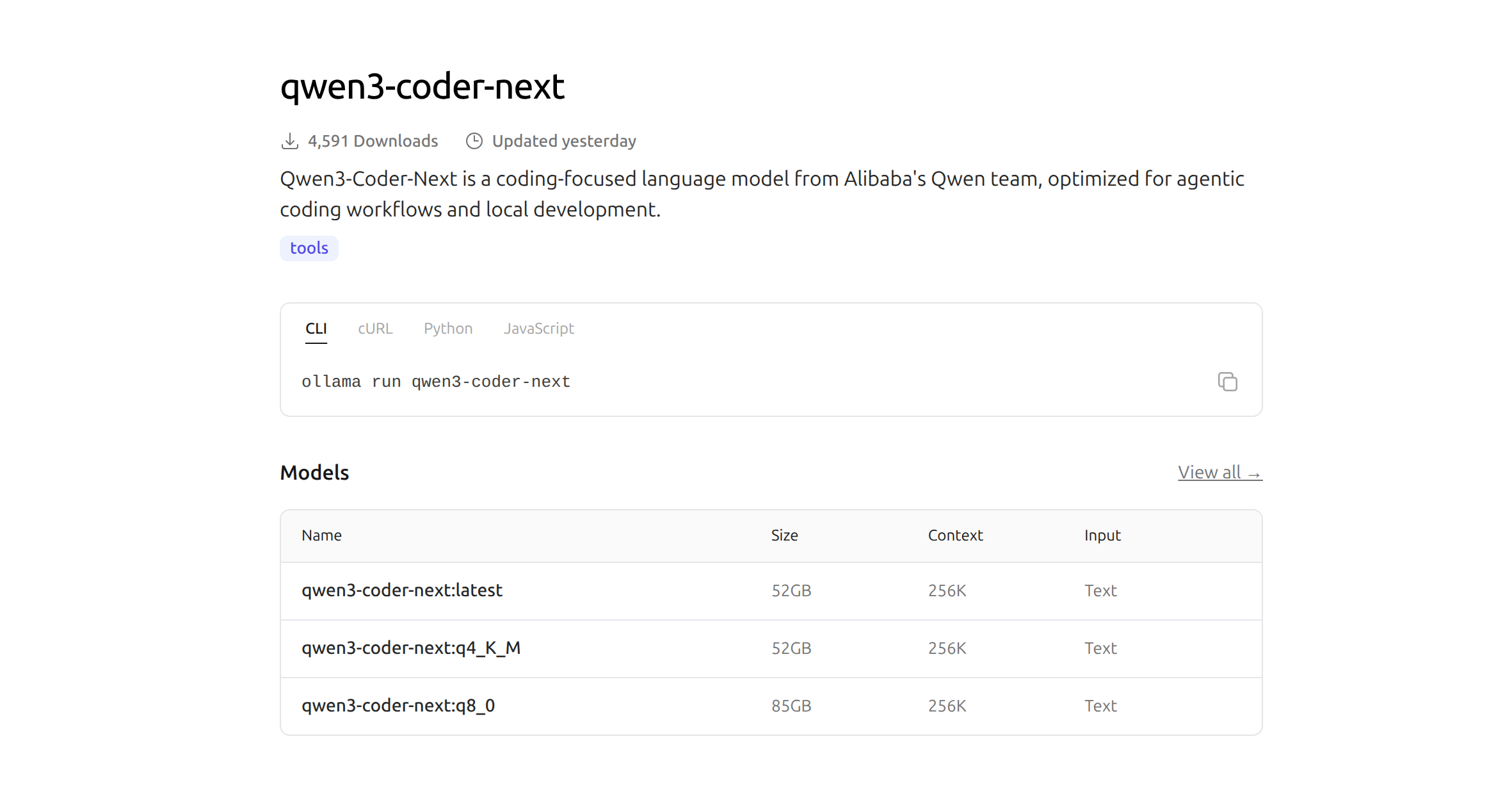
Im Bereich der KI-Modelle gibt es ständig neue und bessere Modelle. Ein Modell auf das ich schon sehr lange gewartet habe ist der Nachfolger von qwen3-coder. Das Modell ist seit ein paar Tagen fertig und kann eigentlich mit „ollama run qwen3-coder-next“ wie unter https://ollama.com/library/qwen3-coder-next beschrieben installiert werden.
Also dann mal los.
ollama run qwen3-coder-nextDoch anstatt der erwarteten Installation und dem Start des Modells, erhielt ich eine Fehlermeldung, die mir erst mal einen kleinen Dämpfer versetzt hat:
pulling manifest
Error: pull model manifest: 412:
The model you are attempting to pull requires a newer version of Ollama that may be in pre-release.

Please see https://github.com/ollama/ollama/releases for more details.
Ein Blick auf meine aktuelle Ollama-Version bestätigte den Verdacht:
ollama --version
ollama version is 0.15.4
Das qwen3-coder-next-Modell benötigt also die Version 0.15.5, die, wie der Fehler andeutet und ein Blick auf die GitHub-Release-Seite (siehe Screenshot unten) zeigt, zu diesem Zeitpunkt noch als „Pre-release“ gelistet war.
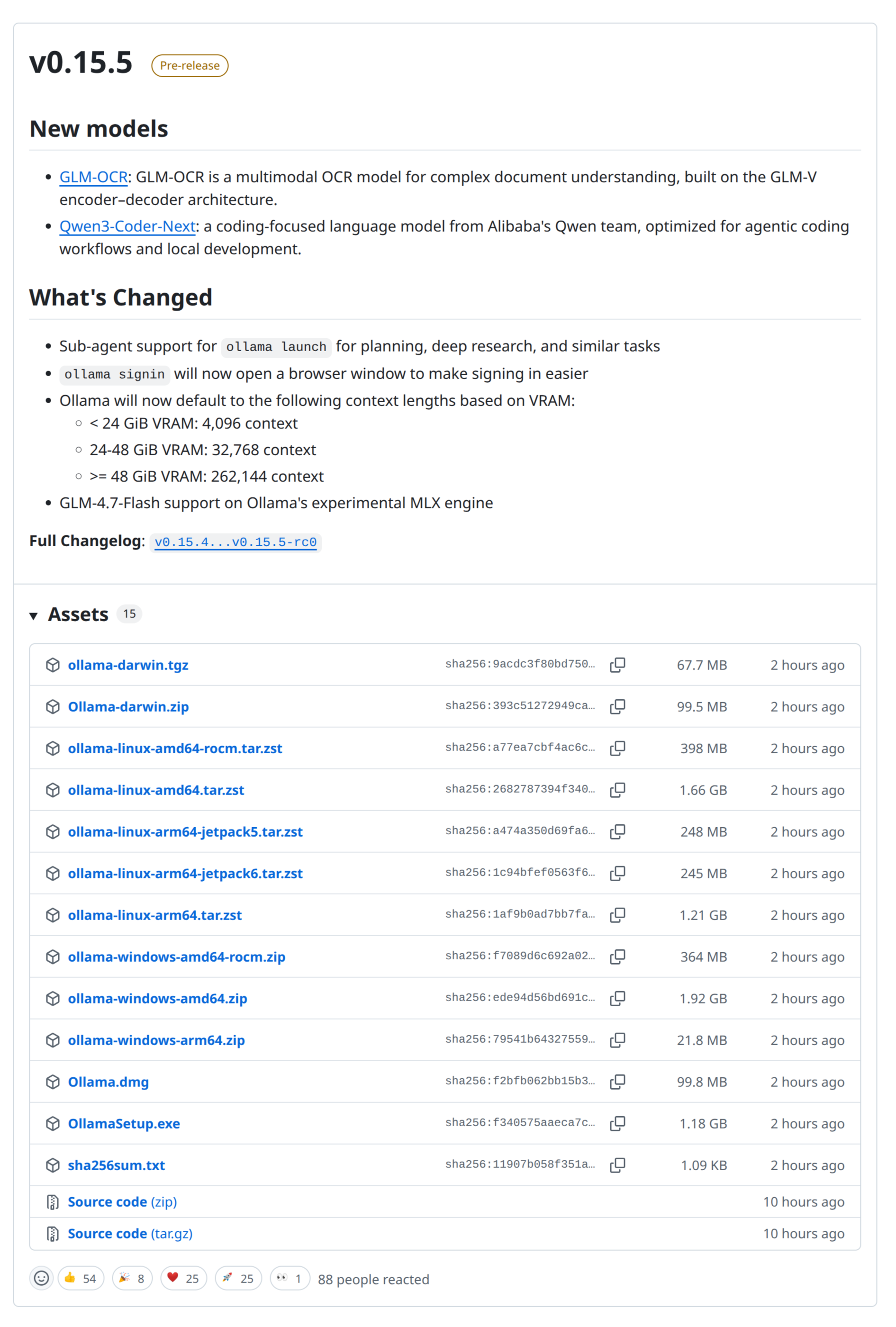
Ein Versuch, die Version 0.15.5 manuell über das Installationsskript zu erzwingen, scheiterte ebenfalls mit einem 404-Fehler, da das spezifische Paket für diese Pre-Release-Version noch nicht über den üblichen Download-Pfad verfügbar war.
curl -fsSL https://ollama.com/install.sh | OLLAMA_VERSION=0.15.5 sh
>>> Cleaning up old version at /usr/local/lib/ollama
>>> Installing ollama to /usr/local
>>> Downloading ollama-linux-amd64.tgz
curl: (22) The requested URL returned error: 404
Doch so schnell wollte ich mich nicht geschlagen geben. Also habe ich das „https://ollama.com/install.sh“ Script heruntergeladen und mit dem Befehl set x einen Shell-Modus aktiviert, in dem alle ausgeführten Befehle im Terminal ausgegeben werden.
➜  ~ OLLAMA_VERSION=0.15.5 sh install.sh
+ set -eu
+ red=
+ plain=
+ mktemp -d
+ TEMP_DIR=/tmp/tmp.anay6xw1Fj
+ trap cleanup EXIT
+ uname -s
+ [ Linux = Linux ]
+ uname -m
+ ARCH=x86_64
+ ARCH=amd64
+ IS_WSL2=false
+ uname -r
+ KERN=6.14.0-1020-oem
+ VER_PARAM=?version=0.15.5
+ SUDO=
+ id -u
+ [ 1000 -ne 0 ]
+ available sudo
+ command -v sudo
+ SUDO=sudo
+ require curl awk grep sed tee xargs
+ local MISSING=
+ available curl
+ command -v curl
+ available awk
+ command -v awk
+ available grep
+ command -v grep
+ available sed
+ command -v sed
+ available tee
+ command -v tee
+ available xargs
+ command -v xargs
+ echo
+ NEEDS=
+ [ -n  ]
+ echo /home/michael/.local/bin:/home/michael/.opencode/bin:/usr/local/sbin:/usr/local/bin:/usr/sbin:/usr/bin:/sbin:/bin:/usr/games:/usr/local/games:/snap/bin:/snap/bin
+ grep -q /usr/local/bin
+ break
+ dirname /usr/local/bin
+ OLLAMA_INSTALL_DIR=/usr/local
+ [ -d /usr/local/lib/ollama ]
+ status Cleaning up old version at /usr/local/lib/ollama
+ echo >>> Cleaning up old version at /usr/local/lib/ollama
>>> Cleaning up old version at /usr/local/lib/ollama
+ sudo rm -rf /usr/local/lib/ollama
+ status Installing ollama to /usr/local
+ echo >>> Installing ollama to /usr/local
>>> Installing ollama to /usr/local
+ sudo install -o0 -g0 -m755 -d /usr/local/bin
+ sudo install -o0 -g0 -m755 -d /usr/local/lib/ollama
+ download_and_extract https://ollama.com/download /usr/local ollama-linux-amd64
+ local url_base=https://ollama.com/download
+ local dest_dir=/usr/local
+ local filename=ollama-linux-amd64
+ curl --fail --silent --head --location https://ollama.com/download/ollama-linux-amd64.tar.zst?version=0.15.5
+ status Downloading ollama-linux-amd64.tgz
+ echo >>> Downloading ollama-linux-amd64.tgz
>>> Downloading ollama-linux-amd64.tgz
+ curl --fail --show-error --location --progress-bar https://ollama.com/download/ollama-linux-amd64.tgz?version=0.15.5
+ sudo tar -xzf - -C /usr/local
curl: (22) The requested URL returned error: 404


gzip: stdin: unexpected end of file
tar: Child returned status 1
tar: Error is not recoverable: exiting now
+ cleanup
+ rm -rf /tmp/tmp.anay6xw1Fj
Wie man sieht passiert hier allerhand Zeug. Aber mein Interesse gilt nur der einen Zeile: „https://ollama.com/download/ollama-linux-amd64.tar.zst?version=0.15.5„. Diese versucht die Version 0.15.5 aus dem Internet zu laden. Was offensichtlich nicht funktioniert.
Schaut man sich den HTTP Response mal genauer an, sieht man folgendes:
curl --head  https://ollama.com/download/ollama-linux-amd64.tar.zst\?version\=0.15.5

HTTP/2 307
content-type: text/html; charset=utf-8
location: https://github.com/ollama/ollama/releases/download/v0.15.5/ollama-linux-amd64.tar.zst
set-cookie: aid=580c2fe1-65e8-4284-930b-f33be86dfc63; Path=/; Max-Age=31536000; HttpOnly; Secure; SameSite=Lax
x-build-commit: cbb90a4886977f41075b6022fd43f28bb4ec38c8
x-build-time: 2026-02-04T18:05:18-08:00
x-frame-options: DENY
x-request-id: 1924db26-156a-405d-bb3e-010ea7816880
date: Thu, 05 Feb 2026 11:19:12 GMT
server: Google Frontend
x-cloud-trace-context: 1a7216eb844a7e1add9c3078189fd00f/12099637886394155341
traceparent: 00-1a7216eb844a7e1add9c3078189fd00f-a7ea8c8d1161c14d-00
via: 1.1 google
alt-svc: h3=":443"; ma=2592000,h3-29=":443"; ma=2592000
Der HTTP Code 307 sagt, dass eine Ressource vorübergehend unter einer anderen URL (im Location-Header angegeben) erreichbar ist und zwar unter „https://github.com/ollama/ollama/releases/download/v0.15.5/ollama-linux-amd64.tar.zst„. Der Link führt dann auf den HTTP Fehler 404. 🙁
Es bleibt mir also nichts anderes übrig, als geduldig zu warten, bis die Version 0.15.5 veröffentlicht und über die regulären Kanäle verfügbar ist. Aber meine Geduld wird bestimmt belohnt. 🙂